
Download PhotoSun – photo editing, red eye removal, blemish correction, photo slideshow, color effects, easy editing
Overview
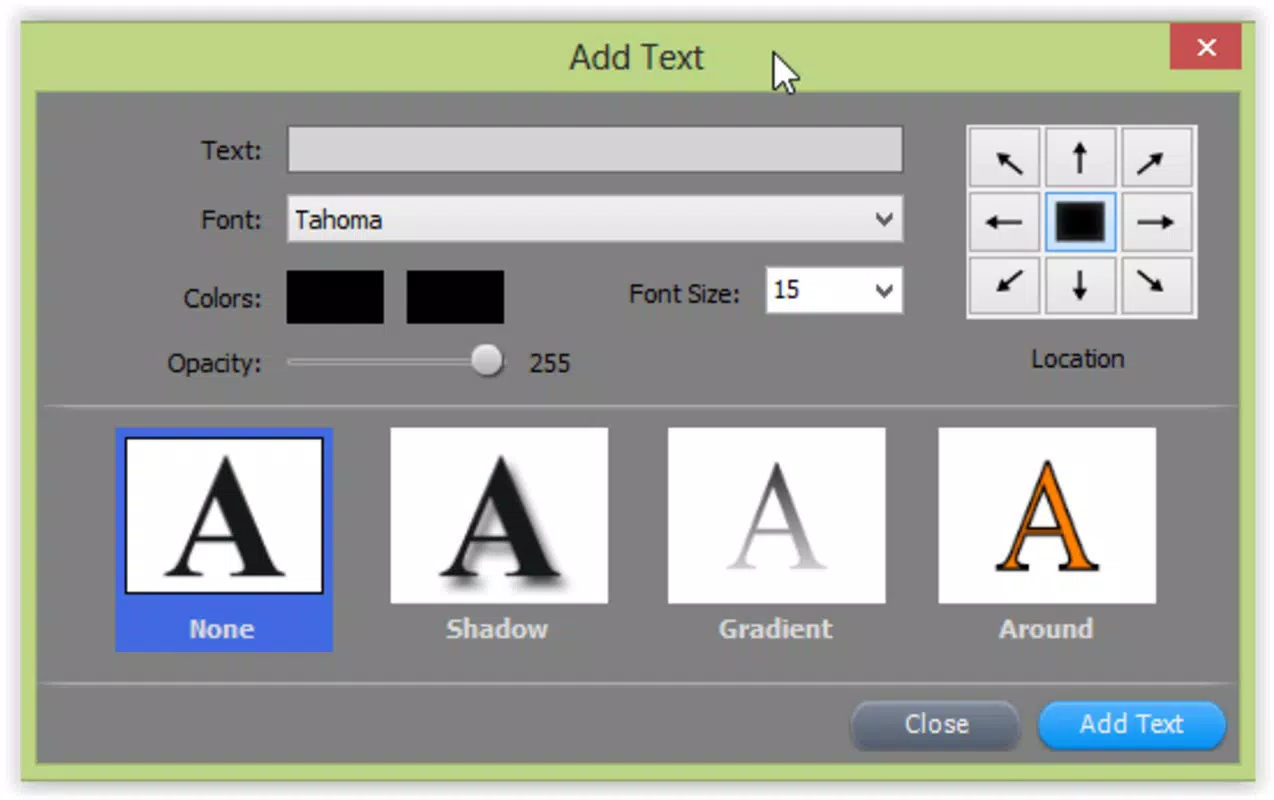
PhotoSun is a mobile application designed to simplify the process of photo editing for users of all experience levels. With a focus on accessibility and functionality, the app offers a suite of tools that address common photo enhancement challenges, such as red eye removal and blemish correction. These features make it particularly useful for individuals who want to improve their images without needing advanced technical knowledge.
The app’s intuitive interface allows users to perform basic edits like cutting, cropping, and pasting, as well as apply creative enhancements such as color effects and framing. It serves as a practical utility for both casual users looking to refine personal photos and those preparing visual content for presentations or social sharing. The app’s inclusion of slideshow creation capabilities further extends its utility, enabling users to compile edited images into dynamic, multimedia presentations.
This functionality supports storytelling through photography, whether for family memories or professional use. As a free tool in the Photography category, PhotoSun fills a niche in the mobile ecosystem by offering a lightweight, feature-rich alternative to more complex editing platforms. Its long-standing presence since its release in September 2014 suggests consistent user engagement and reliability over time.
Key Features & Functionality
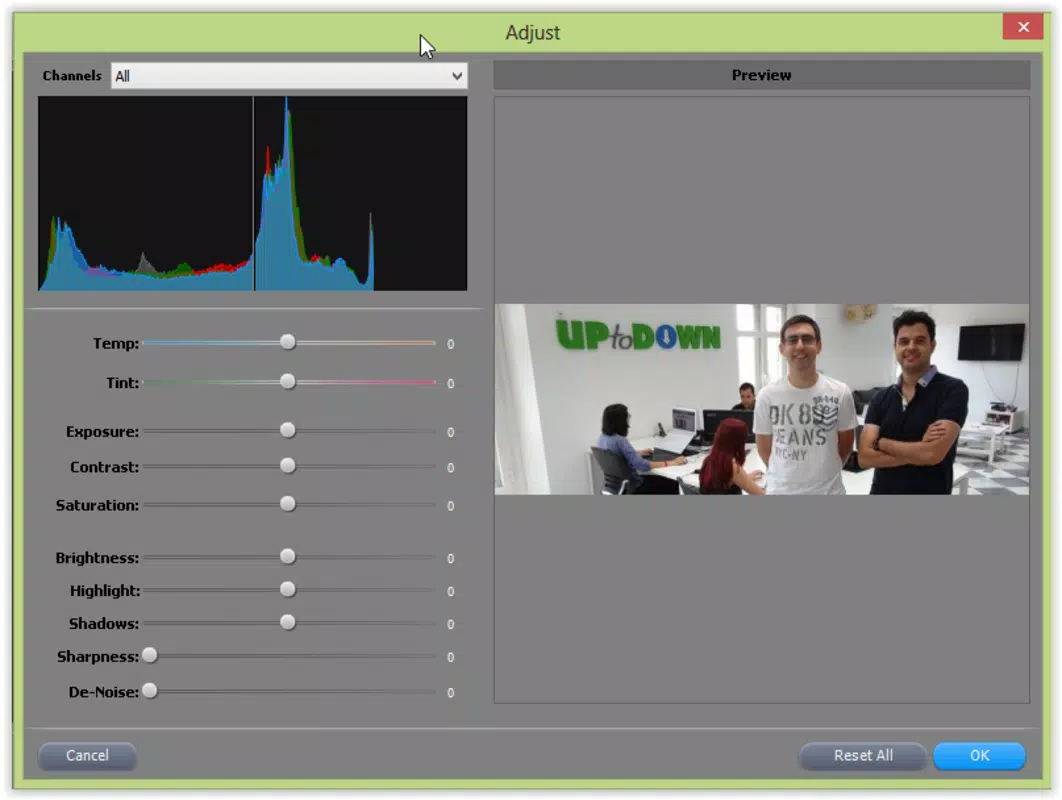
- User-Friendly Interface: PhotoSun features a clean, intuitive layout that allows users to navigate tools without a learning curve. The interface supports real-time preview adjustments, enabling immediate feedback during edits.
- Basic and Advanced Edits: Users can perform essential operations such as cutting, cropping, and pasting, while also accessing advanced tools like red eye removal and blemish correction for professional-grade results.
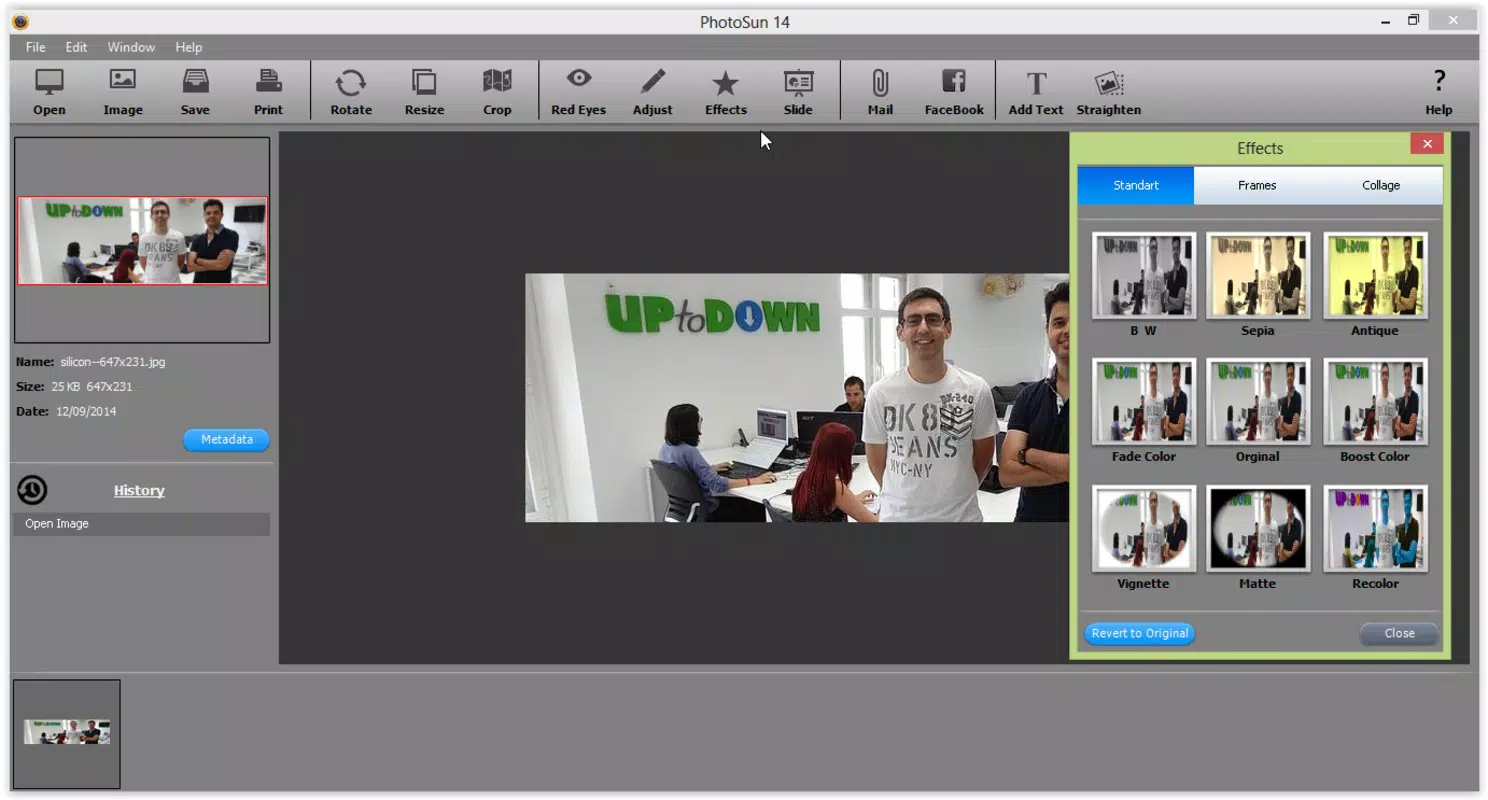
- 20 Color Effects: The app provides approximately 20 distinct color effects that alter the tone, mood, and style of images. These effects are designed for quick application and customization to suit various visual preferences.
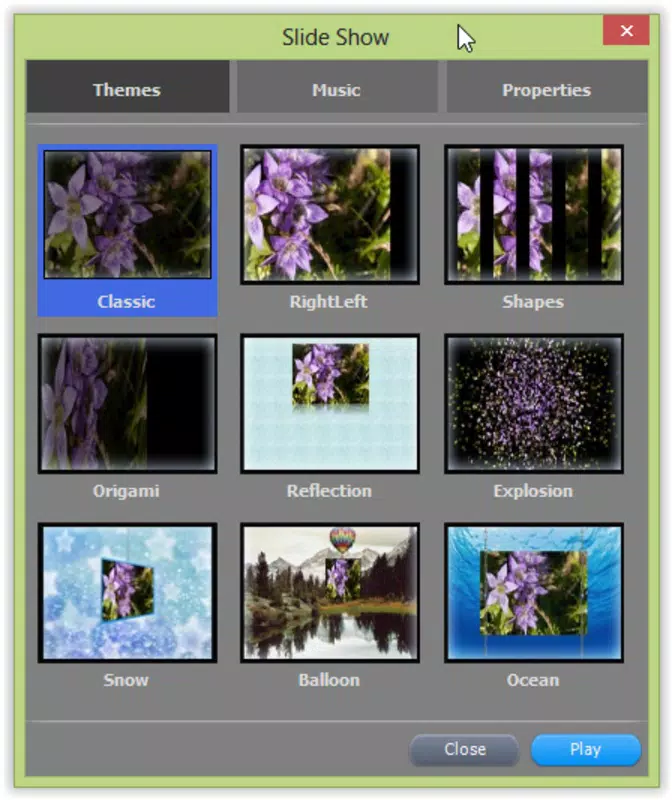
- Slideshow Creation: PhotoSun enables users to assemble edited photos into slideshows with the option to add sound and visual transitions, enhancing the presentation’s impact and engagement.
- Easy Sharing Options: Once edits are complete, users can share their creations directly to social media platforms like Facebook, streamlining the process of showcasing their work.
These features cater to real-world use cases such as preparing vacation photos for family sharing, refining portraits for social media, or assembling visual narratives for personal or professional events. The integration of both creative and functional tools positions PhotoSun as a versatile solution for everyday photo enhancement needs.
Interface, UX & Performance
PhotoSun presents a visually clean interface with logically grouped tools, promoting efficient navigation and minimizing user confusion. The layout prioritizes accessibility, placing frequently used functions within easy reach. Users can adjust settings in real time, with immediate visual feedback, which enhances the overall editing experience.
The app supports smooth transitions between editing modes and maintains responsiveness during image manipulation tasks. Although the developer did not list formal performance metrics, the app’s file size of 17.5 MB suggests it is optimized for efficient operation on a wide range of Android devices. Stability appears consistent, with no reported issues related to crashes or freezes in the available information.
The app’s lightweight nature ensures it runs well on older or mid-tier devices, making it accessible to a broad user base. Navigation remains straightforward, with minimal steps required to access key features. While the developer did not specify minimum OS requirements, the app’s continued availability suggests compatibility with current and recent Android versions.
Overall, the user experience is designed around ease of use, making it suitable for users seeking a reliable, no-frills photo editing solution.
Platform Compatibility & Technical Requirements
PhotoSun is available on the Android platform and operates under the version 2.1.1. The app has a file size of 17.5 MB, indicating a lightweight design that does not place heavy demands on device storage. The developer did not specify minimum OS requirements or hardware specifications, so compatibility with specific Android versions or device categories cannot be confirmed.
However, given the app’s long-standing presence since 2014 and its current availability, it is likely compatible with a wide range of Android devices, including older models. The absence of detailed technical information does not detract from the app’s usability, as the lightweight footprint supports broad accessibility. Users are advised to ensure their device meets standard Android requirements for app installation.
For those seeking a secure, free, and functional photo editing tool, PhotoSun remains a viable option across various Android smartphones and tablets.
Pros and Cons
Pros
- Intuitive interface suitable for beginners and experienced users alike
- Offers both basic and advanced editing tools, including red eye removal and blemish correction
- Includes 20 color effects for creative photo enhancement
- Supports slideshow creation with sound and visual effects
- Direct sharing to social media platforms like Facebook
- Free to download and use with no in-app purchases reported
Cons
- Developer did not provide detailed technical specifications or OS requirements
- No information on update frequency or future development plans
- App size is small, which may suggest limited feature expansion potential
- Compatibility with newer Android versions not confirmed
- No mention of cloud sync or backup functionality
FAQ
Is PhotoSun safe to download and install?
Yes, PhotoSun is available through official Android channels and is free of known malware. The app’s long-standing presence and lack of reported security issues suggest it is a secure tool for photo editing.
Can I use PhotoSun on iOS devices?
Currently, the app is only available on the Android platform. There is no information indicating iOS compatibility at this time.
How often is PhotoSun updated?
The developer has not disclosed update frequency. The current version is 2.1.1, released in 2014, suggesting limited recent updates.
Does PhotoSun require internet access?
Basic editing functions do not require internet access. However, sharing to social media platforms may require an active connection.
Can I undo edits in PhotoSun?
Yes, the app supports easy undo functionality, allowing users to revert changes and experiment with edits without permanent consequences.
Final Thoughts
PhotoSun stands out as a reliable, free mobile app for users seeking straightforward yet effective photo editing tools. Its combination of essential features—such as red eye removal, blemish correction, and color effects—alongside creative capabilities like slideshow creation, makes it a versatile choice for both personal and professional use. The intuitive interface ensures a smooth experience, even for those with limited editing experience.
While the lack of detailed technical information and infrequent updates may raise questions about long-term support, the app remains functional and secure for everyday tasks. For individuals looking to enhance their photos without complexity, PhotoSun delivers strong value. Its lightweight design and free access make it an excellent option for Android users seeking a no-frills, effective editing utility.
Download PhotoSun now.


